






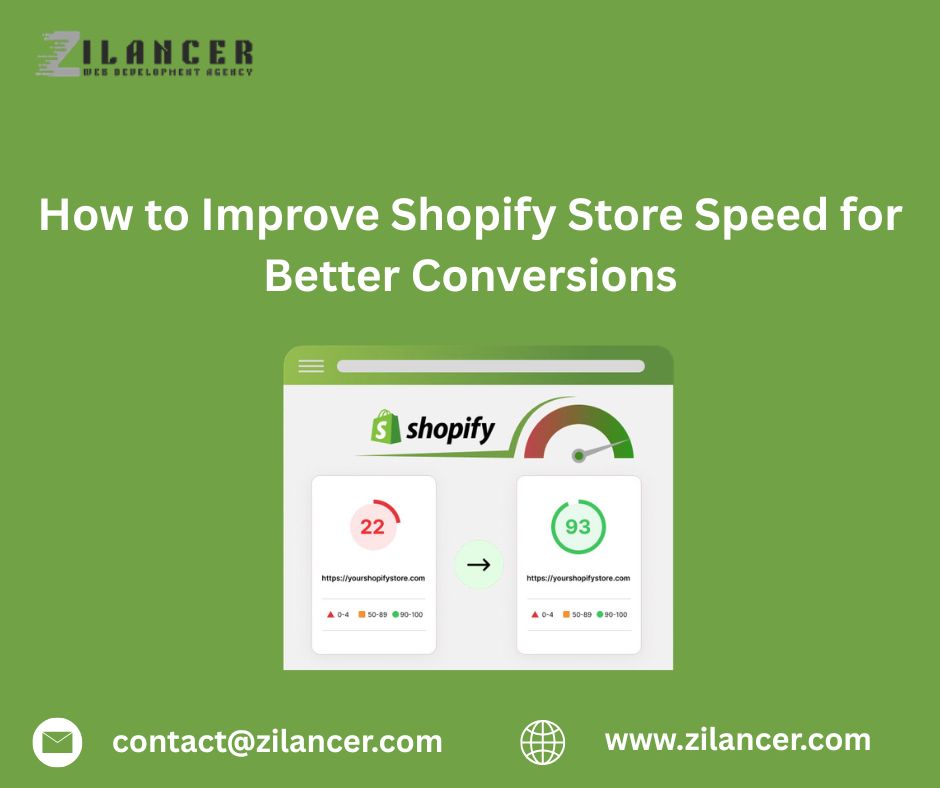
In the world of e-commerce, speed is one of the most critical factors that determines whether visitors stay on your website or leave before making a purchase. A slow-loading store can frustrate users, reduce engagement, and significantly decrease conversion rates. For businesses using Shopify, optimizing store speed is essential for delivering a seamless shopping experience and maximizing sales.
Customers today expect websites to load almost instantly. If a page takes too long to load, users are more likely to abandon the site and move to a competitor. This means that improving store speed is not just a technical improvement—it is a powerful business strategy that directly impacts revenue and customer satisfaction.
Why Store Speed Matters for Conversions
Page speed has a direct influence on how customers interact with your store. Faster websites create smoother user experiences, helping visitors browse products, add items to their cart, and complete purchases without frustration.
When a Shopify store loads quickly, it benefits the business in several ways:
-
Lower bounce rates
-
Higher engagement and browsing time
-
Better search engine rankings
-
Improved mobile experience
-
Higher conversion rates
Search engines also prioritize faster websites in their rankings, meaning a well-optimized Shopify store can attract more organic traffic as well.
Optimize and Compress Images
High-quality product images are essential for eCommerce, but large image files can significantly slow down your store. Optimizing images is one of the simplest and most effective ways to improve website speed.
Store owners should compress images without sacrificing quality and use modern formats such as WebP whenever possible. Additionally, resizing images to match their display dimensions prevents unnecessary loading of oversized files.
Optimized images help pages load faster while still maintaining the visual quality that customers expect when viewing products.
Choose a Lightweight and Optimized Theme
Your Shopify theme plays a major role in determining your store’s performance. Some themes include excessive scripts, animations, or design elements that can slow down page loading.
Selecting a lightweight and well-coded theme ensures that your store loads quickly and performs efficiently. Minimalist themes that focus on performance often provide a better balance between design and speed.
When customizing themes, it is also important to avoid adding unnecessary design features that may impact performance.
Reduce Unnecessary Apps
The Shopify App Store offers thousands of apps that add functionality to Shopify stores. However, installing too many apps can negatively affect site speed because each app may add additional scripts and background processes.
Store owners should regularly review installed apps and remove any that are no longer necessary. Keeping only the most essential apps ensures that the store remains fast and efficient.
If multiple apps perform similar functions, consolidating them into a single solution can also improve performance.
Enable Lazy Loading for Images
Lazy loading is a technique that delays the loading of images until they appear in the user’s visible screen area. Instead of loading all images at once, the page loads only the images that are immediately needed.
This approach significantly improves initial page load times, especially for product collection pages or long product descriptions with multiple images.
By reducing the amount of data loaded at the start, lazy loading helps create a smoother browsing experience for customers.
Minimize CSS and JavaScript Files
Large CSS and JavaScript files can slow down website performance. Minimizing and combining these files helps reduce the number of requests the browser must process when loading a page.
Developers often optimize code by removing unused scripts, reducing file sizes, and ensuring that scripts load only when necessary.
These technical optimizations may seem small individually, but together they can create a significant improvement in overall store speed.
Use Shopify’s Built-In Content Delivery Network
One major advantage of Shopify is its built-in global infrastructure. Shopify automatically uses a Content Delivery Network (CDN) to distribute website content across multiple servers around the world.
This means that when customers visit your store, content is delivered from the server closest to their location, reducing loading times.
Leveraging Shopify’s CDN ensures faster performance for international customers and provides a consistent browsing experience regardless of geographic location.
Optimize the Checkout Experience
The checkout page is one of the most important parts of the customer journey. Even small delays during checkout can cause customers to abandon their cart.
Optimizing the checkout experience includes ensuring that:
-
Payment gateways load quickly
-
Forms are simple and minimal
-
Page elements are streamlined
Shopify’s built-in checkout system is already optimized for performance, but minimizing additional scripts and apps that affect checkout pages can further improve speed.
Regularly Test Store Performance
Improving store speed is not a one-time task. Regular performance testing helps identify new issues and maintain optimal website performance as the store grows.
Tools like performance analyzers and speed testing platforms can provide insights into loading times, page size, and potential optimization opportunities.
Continuous monitoring ensures that your Shopify store maintains a fast and reliable shopping experience.
How Zilancer Helps Optimize Shopify Store Speed
At Zilancer, we help businesses build high-performance Shopify stores that prioritize both user experience and technical efficiency.
Our Shopify optimization services include:
-
Store speed audits and performance analysis
-
Image optimization and compression
-
Theme performance optimization
-
App and script optimization
-
Mobile speed improvements
-
Checkout experience optimization
By combining technical expertise with UX best practices, we help brands create Shopify stores that load faster, perform better, and convert more visitors into customers.
Conclusion
Website speed plays a crucial role in the success of any Shopify store. Faster stores create better user experiences, reduce bounce rates, and increase conversion rates. From optimizing images and reducing apps to choosing lightweight themes and leveraging Shopify’s global infrastructure, there are many ways to improve store performance.
Investing in store speed optimization not only enhances the shopping experience but also strengthens long-term business growth. For businesses aiming to maximize conversions and deliver a seamless customer journey, improving Shopify store speed should always be a top priority.