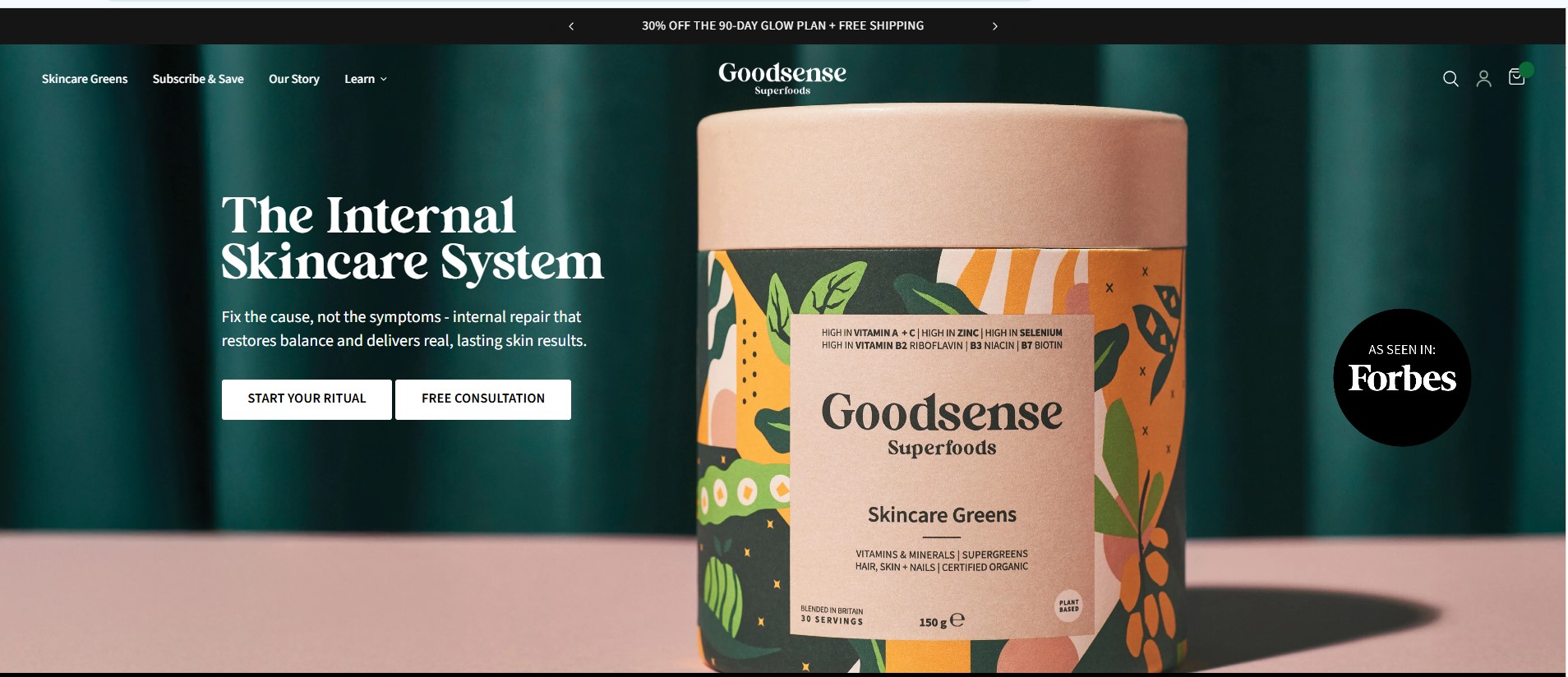









Starting an online store has become easier than ever, thanks to powerful eCommerce platforms like Shopify. Shopify allows entrepreneurs and businesses to build professional online stores without needing advanced technical knowledge. With its user-friendly interface, secure infrastructure, and flexible features, Shopify has become one of the most popular platforms for launching and scaling eCommerce businesses.
However, launching a successful Shopify store requires more than simply creating an account and adding products. A well-planned setup process ensures that your store is optimized for user experience, performance, and long-term growth. This guide explains the complete journey of setting up a Shopify store—from the initial business idea to a fully launched online store. Every successful online store begins with a clear business idea. Before building your Shopify store, it is important to identify the products you want to sell and the market you want to target. Choosing the right niche helps you focus on a specific audience and build a stronger brand identity. Researching market demand, analyzing competitors, and understanding customer needs are essential parts of this stage. When businesses clearly define their niche, they can create more effective marketing strategies and position their brand more effectively in the market. A strong foundation at this stage increases the chances of long-term success. Once the business concept is defined, the next step is creating your Shopify account. Shopify provides a simple registration process that allows users to start building their store quickly.
After signing up, store owners gain access to the Shopify dashboard, where they can manage products, orders, customers, and store settings. The dashboard is designed to be intuitive, allowing even beginners to navigate the platform easily. This centralized control panel becomes the main hub for managing the entire eCommerce business.
Choosing a Professional Store Design
The design of an online store plays a major role in attracting and retaining customers. Shopify offers a wide range of themes that allow businesses to create visually appealing storefronts. Choosing the right theme involves considering factors such as brand style, product type, and user experience. A well-designed store should be clean, easy to navigate, and optimized for mobile devices. Since many customers shop using smartphones, mobile responsiveness is critical. While standard themes can provide a quick start, many businesses invest in custom development to create a unique and highly optimized shopping experience. Once the store design is in place, the next step is adding products to the store. Each product listing should include clear descriptions, high-quality images, pricing information, and relevant details that help customers understand the product.
Organizing products into collections also helps improve navigation and makes it easier for customers to find what they are looking for. A well-structured catalog enhances the shopping experience and encourages visitors to explore more products. This stage is essential for building a professional and trustworthy online store. An effective payment system is critical for converting visitors into customers. Shopify supports multiple payment gateways, allowing businesses to accept payments from customers around the world. Store owners can configure payment methods such as credit cards, digital wallets, and other secure online payment options. A smooth and secure checkout process reduces cart abandonment and improves customer confidence. Ensuring that the checkout experience is fast and simple is one of the key factors in maximizing online sales. Shipping and tax settings must also be configured before launching the store. Shopify allows businesses to define shipping zones, shipping rates, and delivery options based on different regions. Clear shipping policies help customers understand delivery costs and timelines before completing a purchase. Proper tax configuration ensures that the store complies with relevant regulations and operates smoothly in different markets. This step helps create transparency and builds trust with customers.
Installing Essential Apps and Integrations
One of Shopify’s greatest strengths is its large ecosystem of apps that extend store functionality. Through the Shopify App Store, businesses can add tools for marketing automation, analytics, inventory management, customer support, and email marketing. These integrations allow store owners to automate many tasks and improve operational efficiency. Selecting the right apps can significantly enhance the overall performance of the store. However, it is important to install only the necessary apps to maintain optimal website speed and performance. Before launching a Shopify store, it is important to optimize it for search engines and performance. Search engine optimization helps potential customers discover the store through organic search results. This includes optimizing product titles, meta descriptions, image alt tags, and site structure. Fast loading speeds and mobile optimization also contribute to better search rankings and improved user experience. Proper SEO setup helps drive consistent traffic to the store over time. Testing is a critical step that many new store owners overlook. Before making the store live, it is important to test every element of the website. This includes checking product pages, verifying payment processing, reviewing shipping calculations, and testing the checkout process. Running test orders helps ensure that everything works smoothly from start to finish. Thorough testing reduces the risk of technical issues once real customers start visiting the store. After completing all setup and testing steps, the store is ready for launch. However, launching the store is just the beginning of the journey. Successful Shopify stores invest in marketing strategies such as social media advertising, search engine marketing, email campaigns, and content marketing to attract customers. Continuous optimization and data analysis help improve performance over time. Growth comes from consistently improving the store and understanding customer behavior.
How Our Agency Helps Businesses Launch Successful Shopify Stores
Our agency helps businesses launch successful Shopify stores by combining strategic planning, high-performance design, and conversion-focused development. We begin by understanding each client’s goals, target audience, and unique value proposition. This allows us to create a tailored roadmap that aligns the store’s structure, features, and user experience with real business objectives—not just aesthetics. The process starts with building a strong foundation. We set up the Shopify store with proper configurations, including payments, shipping, taxes, and essential integrations. From there, we design a clean, professional, and brand-focused storefront that prioritizes clarity and usability. Every layout is structured to guide visitors naturally—from landing on the homepage to exploring products and completing purchases.
Product pages and collections are optimized to drive conversions. We use high-quality visuals, persuasive copy, and clear call-to-actions to reduce hesitation and encourage buying decisions. At the same time, we ensure the entire store is mobile-optimized and fast-loading, delivering a seamless experience across all devices. We also integrate the right tools and apps to support growth, including marketing automation, analytics, customer reviews, and email systems. Instead of overwhelming the store with unnecessary features, we carefully select solutions that improve efficiency and scalability. Before launch, we thoroughly test everything—from navigation and responsiveness to checkout functionality—ensuring a smooth and error-free experience. After going live, we continue to support businesses with optimization, performance tracking, and ongoing improvements. Ultimately, our goal is not just to launch a Shopify store, but to build a strong, scalable eCommerce platform that attracts customers, drives conversions, and supports long-term business growth. Setting up a Shopify store involves several important steps, from defining a business idea to designing the store and preparing it for launch. When each stage is planned carefully, businesses can create a professional online store that delivers a great shopping experience for customers. With the right strategy and technical support, Shopify provides everything needed to build, launch, and scale a successful eCommerce business in today’s competitive digital marketplace.