







In the world of e-commerce, speed is one of the most critical factors that determines whether visitors stay on your website or leave before making a purchase. A slow-loading store can frustrate users, reduce engagement, and significantly decrease conversion rates. For businesses using Shopify, optimizing store speed is essential for delivering a seamless shopping experience and maximizing sales. Customers today expect websites to load almost instantly. If a page takes too long to load, users are more likely to abandon the site and move to a competitor. This means that improving store speed is not just a technical improvement—it is a powerful business strategy that directly impacts revenue and customer satisfaction.
Why Store Speed Matters for Conversions
Store speed is one of the most critical factors influencing your conversion rate, yet it’s often overlooked by many online business owners. In today’s fast-paced digital environment, users expect websites to load almost instantly. If your store takes more than a few seconds to load, visitors are likely to leave before they even see your products. This immediate drop-off not only reduces your chances of making a sale but also wastes the money you spend on ads and traffic.A fast-loading store creates a smooth and enjoyable user experience. When pages load quickly, customers can browse products, navigate categories, and complete purchases without frustration. This seamless journey builds trust and keeps users engaged, increasing the likelihood that they will stay longer and buy more. On the other hand, slow websites create friction, making even interested buyers hesitate or abandon their carts altogether. Speed also has a direct impact on your store’s credibility. Users often associate a slow website with poor quality or lack of professionalism. If your store feels laggy or unresponsive, customers may question the reliability of your brand and choose a competitor instead. A fast store signals efficiency, trustworthiness, and a better overall shopping experience. From a marketing perspective, store speed directly affects your advertising performance. Platforms like Facebook and Google prioritize user experience, and slow landing pages can lead to higher bounce rates and lower quality scores. This means you’ll end up paying more for ads while getting fewer results.
Additionally, speed plays a major role in SEO. Search engines favor fast-loading websites, so improving your store speed can help you rank higher and attract more organic traffic. Ultimately, a faster store doesn’t just improve performance—it maximizes conversions, reduces wasted traffic, and creates a strong foundation for sustainable growth.
Optimize and Compress Images
High-quality product images are essential for eCommerce, but large image files can significantly slow down your store. Optimizing images is one of the simplest and most effective ways to improve website speed. Store owners should compress images without sacrificing quality and use modern formats such as WebP whenever possible. Additionally, resizing images to match their display dimensions prevents unnecessary loading of oversized files. Optimized images help pages load faster while still maintaining the visual quality that customers expect when viewing products. Your Shopify theme plays a major role in determining your store’s performance. Some themes include excessive scripts, animations, or design elements that can slow down page loading. Selecting a lightweight and well-coded theme ensures that your store loads quickly and performs efficiently. Minimalist themes that focus on performance often provide a better balance between design and speed. When customizing themes, it is also important to avoid adding unnecessary design features that may impact performance. The Shopify App Store offers thousands of apps that add functionality to Shopify stores. However, installing too many apps can negatively affect site speed because each app may add additional scripts and background processes. Store owners should regularly review installed apps and remove any that are no longer necessary. Keeping only the most essential apps ensures that the store remains fast and efficient. If multiple apps perform similar functions, consolidating them into a single solution can also improve performance. Lazy loading is a technique that delays the loading of images until they appear in the user’s visible screen area. Instead of loading all images at once, the page loads only the images that are immediately needed. This approach significantly improves initial page load times, especially for product collection pages or long product descriptions with multiple images. By reducing the amount of data loaded at the start, lazy loading helps create a smoother browsing experience for customers.
Minimize CSS and JavaScript Files
Minimizing CSS and JavaScript files is a crucial step in improving your store’s speed and overall performance. When your website loads, every CSS and JavaScript file must be downloaded, parsed, and executed by the browser. If these files are large or too many in number, they can significantly slow down your site, leading to a poor user experience and lower conversion rates. By minimizing these files, you remove unnecessary characters such as spaces, comments, and unused code without affecting functionality. This reduces file size, allowing pages to load faster. Additionally, combining multiple CSS and JavaScript files into fewer files can decrease the number of HTTP requests, which further improves loading speed. The fewer requests your store makes, the quicker it becomes for users to access your content. Another important practice is deferring or asynchronously loading JavaScript. This ensures that scripts do not block the rendering of your page, allowing users to see content faster while background processes continue to load. Similarly, critical CSS can be prioritized so that above-the-fold content loads instantly, giving users the impression of a fast and responsive store. It’s also important to remove unused CSS and JavaScript that may come from old apps, themes, or unnecessary features. Many Shopify stores become slow over time because of leftover code that no longer serves a purpose. Regular audits help keep your store clean and optimized. Ultimately, minimizing CSS and JavaScript is not just a technical improvement—it directly impacts user experience, SEO rankings, and conversions. A faster, more efficient store keeps visitors engaged, reduces bounce rates, and creates a smoother shopping journey that encourages customers to complete their purchases. One major advantage of Shopify is its built-in global infrastructure. Shopify automatically uses a Content Delivery Network (CDN) to distribute website content across multiple servers around the world. This means that when customers visit your store, content is delivered from the server closest to their location, reducing loading times. Leveraging Shopify’s CDN ensures faster performance for international customers and provides a consistent browsing experience regardless of geographic location.
Optimize the Checkout Experience
Optimizing the checkout experience is one of the most powerful ways to increase your store’s conversion rate and reduce cart abandonment. You can drive traffic, design a beautiful store, and showcase great products—but if your checkout process is slow, complicated, or confusing, you will lose sales at the final step. A smooth and frictionless checkout ensures that customers can complete their purchase quickly and with confidence. Start by simplifying the entire process. Remove unnecessary steps and only ask for essential information. Long forms can overwhelm users, especially on mobile devices, so keep fields minimal and easy to complete. Offering a guest checkout option is also crucial, as many users prefer not to create an account before making a purchase. The fewer barriers you place, the higher your chances of converting visitors into buyers. Speed and performance play a critical role here as well. A slow-loading checkout page can instantly break trust and cause users to abandon their carts. Make sure your checkout is optimized for speed and works seamlessly across all devices. Mobile optimization is especially important since a large portion of users shop directly from their phones. Building trust is another key factor. Display secure payment icons, SSL certificates, and clear return or refund policies. When customers feel their information is safe, they are more likely to complete the transaction. Transparent pricing is equally important—avoid hidden fees and clearly show shipping costs upfront to prevent last-minute surprises.
Additionally, provide multiple payment options to suit different customer preferences. Whether it’s cards, mobile payments, or digital wallets, flexibility makes the checkout process more convenient. Finally, enable auto-fill features and progress indicators so users know exactly where they are in the process. A well-optimized checkout doesn’t just complete a sale—it creates a positive experience that encourages repeat purchases and builds long-term customer trust. Improving store speed is not a one-time task. Regular performance testing helps identify new issues and maintain optimal website performance as the store grows. Tools like performance analyzers and speed testing platforms can provide insights into loading times, page size, and potential optimization opportunities. Continuous monitoring ensures that your Shopify store maintains a fast and reliable shopping experience.
How Zilancer Helps Optimize Shopify Store Speed
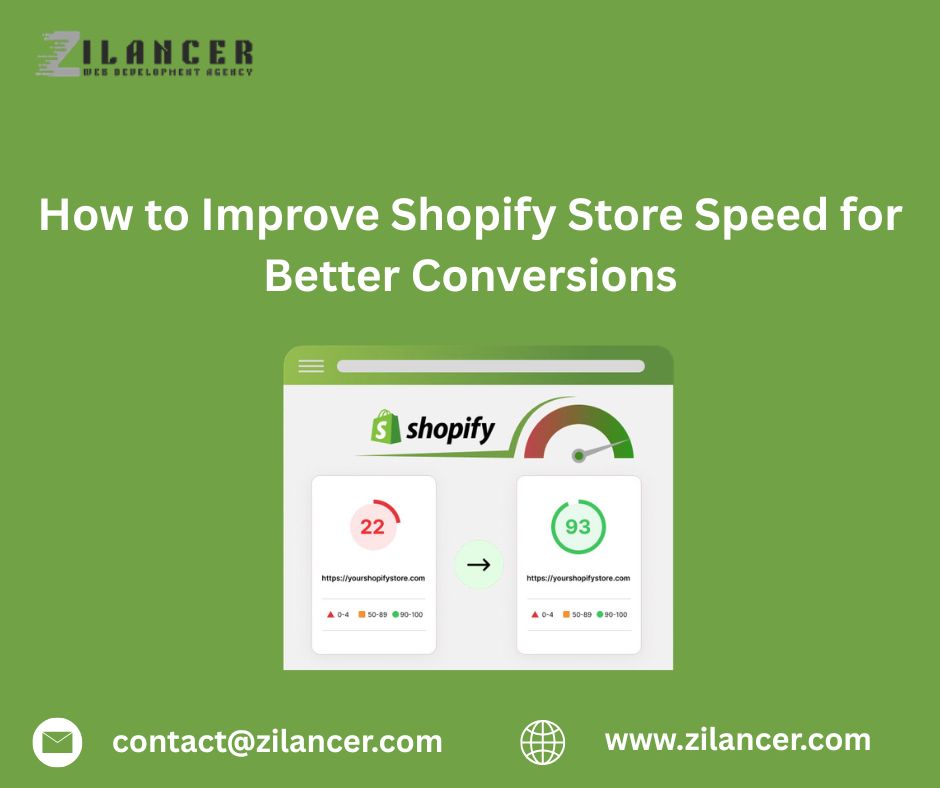
Zilancer takes a structured, data-driven approach to optimizing Shopify store speed, focusing not just on improving scores, but on delivering real performance improvements that impact conversions and user experience. Instead of applying generic fixes, their process starts with a deep performance audit using tools like Google PageSpeed Insights and Shopify’s built-in reports to identify the exact bottlenecks slowing down your store. One of the key ways Zilancer improves speed is by cleaning up unnecessary code and reducing heavy scripts. Many Shopify stores become slow due to excessive apps, unused CSS, and JavaScript files. Zilancer removes or optimizes these elements, reducing the number of requests and ensuring your store loads faster and more efficiently. They also fix broken links, unnecessary redirects, and backend inefficiencies that can silently hurt performance. Image optimization is another major focus. Since images often make up the largest portion of a webpage, Zilancer compresses and optimizes them without sacrificing quality. They also implement lazy loading techniques so that only visible content loads first, significantly improving perceived speed and user experience. Zilancer also ensures that your Shopify theme is lightweight and performance-focused. Heavy themes with unnecessary animations or features can slow down your store, so their team either optimizes your current theme or recommends better-performing alternatives. Alongside this, they make sure your store is fully optimized for mobile devices, where speed issues are most noticeable and impactful.
Beyond technical fixes, Zilancer focuses on real business outcomes. A faster store leads to lower bounce rates, better SEO rankings, and higher conversions. Even a small improvement in load time can significantly increase sales and customer retention. Website speed plays a crucial role in the success of any Shopify store. Faster stores create better user experiences, reduce bounce rates, and increase conversion rates. From optimizing images and reducing apps to choosing lightweight themes and leveraging Shopify’s global infrastructure, there are many ways to improve store performance.
Investing in store speed optimization not only enhances the shopping experience but also strengthens long-term business growth. For businesses aiming to maximize conversions and deliver a seamless customer journey, improving Shopify store speed should always be a top priority.