






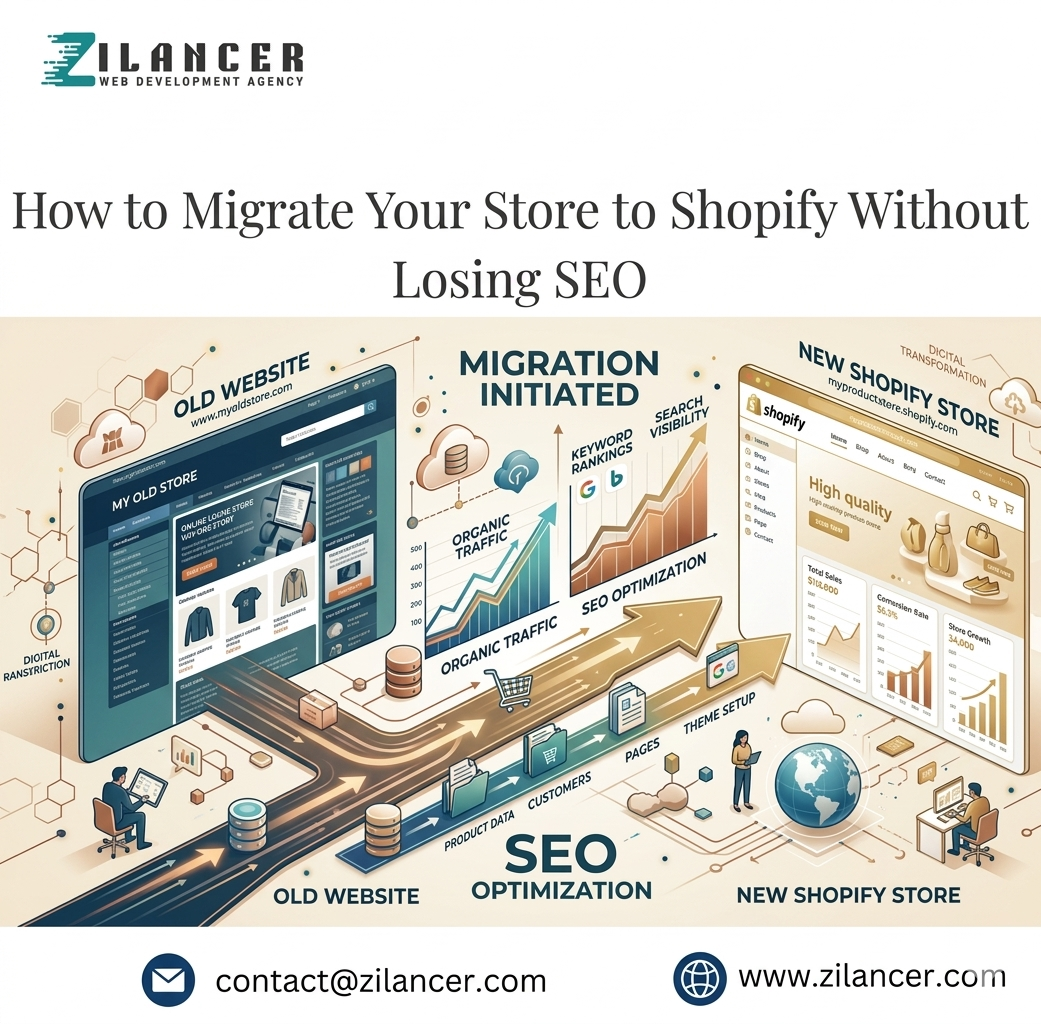
Migrating your online store to Shopify is an exciting move that often brings better design, improved performance, and access to powerful tools for growth. However, one of the biggest concerns for store owners is the risk of losing SEO rankings. Search engine optimization is the backbone of consistent organic traffic, and if migration is not handled properly, it can lead to broken links, ranking drops, and reduced sales. The good news is that with a well-planned strategy, you can migrate your store to Shopify without losing SEO—in fact, you can even improve it. At Zilancer, we help businesses handle migrations smoothly while protecting and strengthening their search performance.
Understanding What Happens During Migration
Understanding what happens during migration is essential for any business planning to move their eCommerce store to a new platform or system. Migration is not just a simple transfer of data—it is a structured process that involves careful planning, execution, and validation to ensure that everything works correctly in the new environment. It typically includes moving products, customer data, order history, website design, SEO settings, and integrations from the old system to the new one without disrupting business operations. The process usually begins with a detailed assessment of the existing store. This helps identify what needs to be migrated, what can be improved, and what should be removed. Once the data is reviewed and cleaned, it is mapped to match the structure of the new platform. This ensures that products, categories, and customer information are accurately aligned during the transfer.
During migration, technical elements such as URLs, redirects, and metadata are also handled carefully to preserve SEO rankings and avoid broken links. At the same time, design and functionality are recreated or improved to match the new system’s capabilities. Testing plays a crucial role at every stage, ensuring that the store functions correctly before going live.After migration, monitoring is essential to identify any issues and make necessary adjustments. Ultimately, understanding the migration process helps businesses minimize risks, maintain performance, and ensure a smooth transition that supports long-term growth and stability.
Backup Your Existing Website
Backing up your existing website is one of the most important steps before making any major changes, such as migration, redesign, or platform switching. A proper backup ensures that all your critical data—including products, customer information, order history, content, and design files—is safely stored and can be restored if anything goes wrong during the process. Without a reliable backup, businesses risk losing valuable data that can impact sales, operations, and customer trust. The backup process typically involves creating a full copy of your website’s database and files. This includes product catalogs, images, themes, plugins, and configuration settings. Many platforms offer built-in backup tools, while others may require manual export or third-party solutions. It is also important to store backups in multiple secure locations, such as cloud storage and local devices, to ensure data safety and accessibility.
Regular backups are equally important, not just one-time actions. Websites that are frequently updated should have scheduled backups to protect against unexpected issues like system errors, hacking attempts, or accidental deletions. Before making any major updates or migrations, having a recent and complete backup provides a safety net that allows you to restore your store quickly if needed. Ultimately, backing up your website is about risk management and peace of mind. It ensures business continuity, protects valuable data, and allows you to make changes confidently without fear of permanent loss.
Maintain URL Structure (If Possible)
Maintaining URL consistency also improves user experience. Returning visitors who have saved links or found pages through search engines will still be able to access the correct content without encountering errors. It reduces confusion and builds trust by ensuring a seamless transition between platforms. In cases where restructuring is necessary, careful planning is essential. Mapping old URLs to new ones, preserving keyword relevance, and maintaining logical hierarchy can help minimize negative impact. Ultimately, maintaining URL structure during migration is about protecting visibility, ensuring continuity, and safeguarding long-term search performance.
Set Up 301 Redirects Correctly
Setting up 301 redirects correctly is a crucial step in any website migration or URL change process, as it ensures that both users and search engines are seamlessly guided from old pages to their new locations. A 301 redirect is a permanent redirect that tells search engines a page has moved permanently, transferring most of the original SEO value, rankings, and authority to the new URL. Without proper redirects, businesses risk losing organic traffic, breaking user journeys, and damaging search engine visibility. The process begins by mapping all old URLs to their most relevant new counterparts. Each page should be redirected to a closely related page rather than a generic homepage, as this helps maintain relevance and user experience. For example, a product page should redirect to the updated version of that same product, not a category or unrelated page. This ensures that visitors find exactly what they are looking for without confusion.
Once the mapping is complete, the redirects must be implemented correctly at the server or platform level. It is important to avoid redirect chains or loops, as these can slow down the website and negatively impact SEO performance. Testing is also essential to ensure that every old URL properly redirects to the correct new destination without errors. After deployment, monitoring is necessary to identify any broken links or missed redirects. Tools like analytics and crawl reports help ensure everything is functioning as expected. Ultimately, correctly setting up 301 redirects protects SEO equity, maintains user trust, and ensures a smooth transition during migration or restructuring.
Optimize Your Shopify Store Structure
Optimizing your Shopify store structure is essential for improving navigation, enhancing user experience, and increasing conversions. A well-organized structure helps customers quickly find what they are looking for, reduces friction in the buying journey, and supports better search engine visibility. When a store is logically structured, it creates a smooth flow from homepage to product discovery to checkout, making the entire shopping experience more intuitive and efficient. A strong Shopify structure starts with clear and well-defined collections. Products should be grouped into relevant categories based on customer behavior and product type, rather than internal business logic. This ensures that users can easily browse and explore items without confusion. The main navigation menu should be simple, clean, and focused on key categories, avoiding unnecessary complexity that can overwhelm visitors. Internal linking and hierarchy also play a major role in optimization. Important pages such as best-selling products, featured collections, and promotional offers should be easily accessible from the homepage. A logical page hierarchy improves both usability and SEO, helping search engines understand the relationship between different pages on your store.
Additionally, search functionality and filtering options should be optimized to help users quickly narrow down their choices. This is especially important for stores with large product catalogs. Mobile responsiveness must also be considered, ensuring that navigation remains simple and effective on smaller screens. Ultimately, optimizing your Shopify store structure is about creating clarity and ease of use. A well-planned structure not only improves customer satisfaction but also increases engagement, reduces bounce rates, and drives higher sales by guiding users effortlessly through their shopping journey.
Transfer Metadata and Content Carefully
Transferring metadata and content carefully is a critical step during any website migration, as it directly impacts SEO performance, user experience, and overall site consistency. Metadata—including page titles, meta descriptions, alt text, and structured data—helps search engines understand what each page is about. If this information is lost or incorrectly transferred, it can lead to drops in rankings, reduced visibility, and lower organic traffic. The process begins with a full audit of existing content and metadata. Every page should be reviewed to ensure that important SEO elements are properly documented before migration. This includes product descriptions, blog content, category information, and image metadata. Once organized, this data should be mapped accurately to the new platform to ensure nothing is missing or misaligned during the transfer.
Content migration also requires careful handling to maintain formatting, readability, and structure. Text, images, and multimedia elements must be checked to ensure they display correctly on the new system. It is also an opportunity to improve outdated or underperforming content by optimizing it for better SEO and user engagement. After migration, thorough testing is essential. Pages should be reviewed to confirm that metadata is correctly implemented, content is fully visible, and there are no broken elements. Search engine indexing should also be monitored to ensure everything is being recognized properly. Ultimately, carefully transferring metadata and content protects your search visibility, maintains consistency across your website, and ensures a smooth transition that supports both SEO performance and user experience.
Optimize On-Page SEO on Shopify
Once your store is migrated, review your on-page SEO to ensure everything is properly optimized. Use clear heading structures, include relevant keywords naturally, and improve internal linking between pages. Shopify offers built-in SEO features, but how you configure them will determine your results. Proper on-page optimization helps search engines understand your content and rank it effectively.
Optimizing on-page SEO on Shopify is essential for improving search engine visibility, attracting organic traffic, and increasing overall sales performance. It focuses on refining individual pages so that search engines can better understand their content while providing users with a clear and valuable experience. A well-optimized Shopify store not only ranks higher in search results but also converts more visitors into customers by delivering relevant, structured, and engaging content.The process begins with keyword optimization. Each page, including product pages, collections, and blog posts, should target specific, relevant keywords that match user intent. These keywords should be naturally placed in titles, headings, meta descriptions, and product descriptions without keyword stuffing. Well-written, informative content helps both search engines and customers understand what the page offers.
Another important factor is optimizing product pages. High-quality images with descriptive alt text, clear product titles, and detailed descriptions improve both SEO and user experience. Structured headings and bullet points make content easier to scan, while internal linking between related products and collections helps distribute authority across the site and improves navigation. Technical on-page elements also play a key role. Optimizing URL structures, ensuring fast loading speeds, and making the site mobile-friendly all contribute to better rankings. Meta titles and descriptions should be compelling and optimized for click-through rates, encouraging users to visit your store from search results. Ultimately, optimizing on-page SEO on Shopify is about combining technical precision with user-focused content. When done correctly, it increases visibility, improves engagement, and drives consistent organic traffic that leads to higher conversions and long-term business growth
Improve Site Speed and Performance
Improving site speed and performance is essential for any Shopify store because it directly impacts user experience, conversion rates, and search engine rankings. A fast-loading website keeps visitors engaged and reduces bounce rates, while a slow site can cause frustration and lead to lost sales. In today’s competitive eCommerce environment, even a one-second delay can significantly affect customer behavior and revenue. One of the most effective ways to improve performance is by optimizing images. Large, uncompressed images slow down page loading, so using properly sized, compressed, and modern formats like WebP can make a noticeable difference. Reducing unnecessary apps and scripts is also important, as too many third-party tools can increase load time and create performance bottlenecks. Keeping only essential apps ensures a lighter and more efficient store.
Another key factor is theme optimization. A clean, well-coded theme improves rendering speed and reduces unnecessary background processes. Minimizing heavy animations and complex design elements can also help maintain fast performance without sacrificing visual appeal. Additionally, enabling browser caching and using a reliable content delivery network (CDN) helps deliver content faster to users across different locations. Mobile performance is equally critical, as a large portion of traffic comes from smartphones. Ensuring responsive design, fast mobile loading, and simplified layouts enhances the overall shopping experience. Regular performance testing using tools like Google PageSpeed Insights or Lighthouse helps identify issues and opportunities for improvement. Ultimately, improving site speed and performance is about creating a smooth, efficient, and frustration-free shopping experience. A faster website not only increases conversions but also builds trust, strengthens SEO, and supports long-term eCommerce growth. After completing the migration, submit your updated sitemap to Google Search Console. This helps search engines discover and index your new pages more efficiently. It also allows you to monitor how Google interacts with your site and identify any potential indexing issues early. Migration doesn’t end once your site goes live. Continuous monitoring is essential to ensure everything is functioning correctly. Track your traffic, keyword rankings, crawl errors, and broken links. If any issues arise, fix them quickly to prevent long-term SEO damage and maintain your store’s performance. Many businesses experience SEO loss due to avoidable mistakes. Common issues include skipping 301 redirects, changing URLs unnecessarily, losing important content, ignoring mobile optimization, and failing to test the site before launch. Paying close attention to these details can make a significant difference in your migration success.
How Zilancer Ensures a Smooth SEO Migration
Zilancer ensures a smooth SEO migration by following a structured, detail-focused process that protects your existing rankings while setting your store up for long-term growth. Migration—whether to Shopify or between platforms—can be risky if not handled properly, but with the right strategy, it becomes an opportunity to improve performance rather than lose traffic. The process begins with a comprehensive SEO audit of your current website. Zilancer analyzes your existing rankings, top-performing pages, backlinks, and keyword positions to understand what is driving your organic traffic. This data becomes the foundation for the entire migration strategy, ensuring that valuable SEO assets are preserved. One of the most critical steps is proper URL mapping and 301 redirects. Zilancer carefully maps every old URL to its new equivalent, ensuring that both users and search engines are seamlessly directed to the correct pages. This prevents broken links and minimizes the risk of losing rankings or authority during the transition. On-page SEO elements are also preserved and optimized during the migration. This includes meta titles, descriptions, header tags, image alt texts, and internal linking structures. By maintaining and improving these elements, Zilancer ensures that your new store remains fully optimized for search engines from day one.
Technical SEO is another major focus. Zilancer ensures that your new site has a clean structure, fast loading speed, mobile optimization, and proper indexing settings. They also create and submit updated sitemaps and configure robots.txt files to help search engines crawl your new site efficiently. After the migration is complete, Zilancer continues to monitor performance closely. They track rankings, traffic, and crawl errors to quickly identify and fix any issues that may arise. This ongoing optimization helps stabilize and often improve your SEO performance over time. In short, Zilancer treats SEO migration as a strategic process, not just a technical task. By protecting existing rankings, optimizing key elements, and continuously monitoring results, they ensure that your transition is smooth, safe, and positioned for long-term organic growth.
Migrating to Shopify is a powerful step toward scaling your business, but it must be done carefully to protect your SEO. By focusing on proper planning, accurate redirects, content preservation, and ongoing monitoring, you can transition your store without losing rankings. In fact, with the right strategy, migration can become an opportunity to improve your SEO and drive even better results. If you want a smooth and risk-free migration experience, Zilancer is ready to guide you every step of the way.