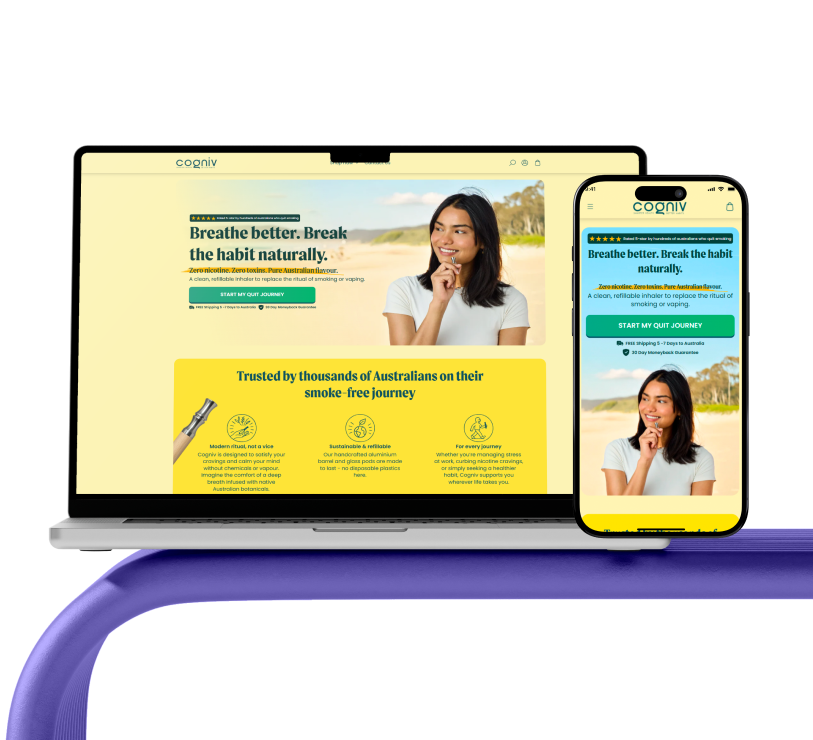








The Smart Way to Redesign Your Store Without Losing Customers
Redesigning a Shopify store can unlock new growth opportunities, but it can also put your existing sales at risk if done without a clear strategy. Many store owners focus heavily on aesthetics and forget that customers are already familiar with how the store works. A smart redesign improves performance, usability, and trust while preserving the buying experience customers already feel comfortable with.
Why Store Redesigns Often Fail
Most Shopify redesigns fail because they are driven by assumptions instead of real customer behavior. Business owners often change layouts, navigation, or checkout flows without understanding how users interact with the store. When familiar elements disappear or move unexpectedly, customers become confused, which leads to higher bounce rates and abandoned carts. A redesign should never disrupt the customer journey that is already generating revenue.
Redesign With Data, Not Assumptions
A successful redesign always starts with data. Before changing anything, it is essential to analyze store performance, including top-performing pages, conversion paths, traffic sources, and device usage. This information helps identify which areas need improvement and which elements must remain unchanged. Data-driven redesign decisions reduce risk and ensure that changes actually improve results instead of harming them.
Keep What Customers Already Trust
Trust is built through consistency. Returning customers rely on familiar navigation, product page structures, and checkout flows. Removing or drastically altering these elements can break that trust. A smart redesign focuses on refining and improving trusted elements rather than replacing them entirely. Small improvements in clarity, spacing, and usability can create a better experience without making customers feel lost.
Improve User Experience Before Visual Design
Visual appeal matters, but usability matters more. A redesign should prioritize user experience before focusing on colors, fonts, or animations. Faster load times, clearer content hierarchy, and simpler navigation all contribute to a smoother shopping experience. When customers can find products easily and complete purchases without friction, conversions naturally improve.
Mobile-First Design Is Essential
Most Shopify traffic comes from mobile devices, making mobile-first design a critical part of any redesign strategy. A smart redesign ensures that the store performs flawlessly on smartphones, with fast loading pages, easy navigation, and a simple checkout process. Designing for mobile first ensures the store meets customers where they actually shop.
Redesign in Phases to Reduce Risk
Redesigning an entire store at once can be risky, especially for stores with steady traffic and sales. A phased redesign approach allows changes to be implemented gradually. Improving product pages, collection layouts, and homepage elements step by step makes it easier to track performance and adjust based on real results. This method protects revenue while improving the store over time.
Protect SEO During the Redesign Process
SEO is often overlooked during redesigns, leading to traffic loss and ranking drops. A smart redesign protects existing SEO value by maintaining URL structures, optimizing page speed, and preserving keyword relevance. When handled correctly, a redesign can enhance search visibility rather than damage it, ensuring long-term organic growth.
Test Everything Before and After Launch
Testing is a critical step in preventing customer loss during a redesign. Navigation flow, add-to-cart actions, checkout steps, and mobile responsiveness should all be tested thoroughly. After launch, performance metrics should be monitored closely to catch and fix issues early. Continuous testing ensures the redesign delivers measurable improvements.
Communicate Changes With Your Customers
If your redesign introduces noticeable changes, communicating them clearly helps maintain customer trust. Informing customers about improvements reassures them that the store is still reliable and easy to use. Clear communication reduces confusion and encourages customers to explore the updated experience with confidence.
Final Thoughts
A Shopify store redesign should never be a gamble. When approached strategically, it improves conversions, strengthens trust, and prepares the store for future growth. The smartest redesigns focus on gradual improvement rather than dramatic disruption. By keeping customer behavior, data, and usability at the center of every decision, brands can refresh their stores without losing the customers they have worked hard to earn.